02 — AI IN EMAIL MARKETING
Why I'm Moving My Newsletter Off LinkedIn: A Flodesk Studio Review
By Carlos Gil — Founder & Editor, The Best Network · Author of The End of Marketing · Updated October 3, 2026 · 8 min read
The short answer: I moved my Bad Marketing newsletter off LinkedIn because LinkedIn controls who sees each issue and keeps the subscriber relationship. An email list is an audience I can reach directly, segment, and take with me if I ever change providers. I used Flodesk Studio to design the first email issue. It's a strong fit for creators and small businesses that want on-brand emails fast. It's less proven for teams that need mature approvals or fixed pricing, because it's still in beta.
Watch the source video above, or open it on YouTube. Then read on for the decision process, the limitations, and the checklist I'd follow again.
A few weeks ago I wrote about Flodesk connecting to Claude and ChatGPT, so you can now ask your AI a question about your email marketing and get a real answer pulled from your actual account. That one changed how I analyze my sends.
Today they shipped something arguably bigger. Flodesk Studio.
It's a standalone AI email design app. But it's not another AI assistant. It's not trying to replace designers.
Flodesk actually describes Studio as a place to create. That's not marketing spin. Once you use it for 20 minutes you realize the distinction matters. And it's why I ended up using it to build the first issue of a brand new newsletter I've been sitting on for months: Bad Marketing.
I'll walk through what Studio is, what I built, what stood out, and who I think should try it.
Design here. Send anywhere.
The single smartest decision Flodesk made with Studio is that it works with any email provider.
You can design your email in Studio, then send it through Flodesk, or you can export the HTML and send from Mailchimp, Kit, Beehiiv, ActiveCampaign, or whatever ESP you're currently on. Switching platforms isn't the price of a beautiful email.
That's a big move. Most AI design tools are built to lock you into one ecosystem. Studio is built to work with the stack you already have.
For creators like me who have opinions about deliverability, list ownership, and workflow, that flexibility is the difference between a tool I'd recommend and one I'd tell people to skip.
What Flodesk Studio actually is
Studio is a brand new AI email design app built by real designers and accelerated by AI. Not the other way around.
Here's how it works:
- You import your brand: logo, hex colors, custom fonts, imagery, button styles, and brand voice.
- If you're already a Flodesk customerAffiliate, your existing brand kit pushes into Studio for near-instant setup.
- You describe what you want to build.
- Studio gives you a professionally designed starting point built on a design system created by human designers in Barcelona, Vietnam, and California.
- You refine it. Either by prompting Studio in chat, or by jumping into the full manual builder and editing every pixel yourself.
The result: your finished email looks like your brand, not like AI slop. Because the design foundation was built by people who obsess over small business aesthetics, and the AI just applies that foundation to your brand and your prompt.
There's a quote from Dawn, one of the early testers, that stuck with me: "I forgot it was AI." After using it myself, I get why she said it.
Studio is also standalone. It doesn't disrupt anything about your current Flodesk account or workflow. It's a separate app that any email sender can use, even if you're not on Flodesk.
And right now, it's completely free while it's in beta. No credit card. No trial timer.
Why "a place, not an assistant" actually matters
Flodesk spent the last year building Studio quietly while the rest of the industry got loud. Every AI email tool released in that same window has positioned itself as a copilot, a helper, an assistant. Studio's team went the opposite direction.
Their CBO Natalie said it best: "We don't want AI making the art for us. We want it to tear down every barrier between us and the joy of making something ourselves."
That's not a slogan. That's a real product philosophy, and you feel it the first time you use it.
Studio doesn't try to be smart at you. It gives you a starting point that already looks like your brand, then hands the mouse back. Real designers craft the foundation. AI applies your brand. You finish it and make it pixel perfect by hand.
That's the sequence. And it's the sequence a lot of us have been asking for from AI tools for two years now.
My actual test: building the first issue of Bad Marketing
I've been sitting on a newsletter concept called Bad Marketing for months. It has 6,106 subscribers on LinkedIn — although, technically, LinkedIn owns them.
Some quick backstory: over the last year I've been posting content on LinkedIn that generates a lot of engagement, and a lot of comments calling it "rage bait." Instead of arguing about it, I leaned into the label. Bad Marketing is a weekly breakdown of the campaigns, ads, creator content, and viral moments people love, hate, or can't stop arguing about. Why they worked. Why they didn't. What operators can steal from them.
Originally I was going to publish it as a LinkedIn Newsletter. But then I caught myself.
I've spent years telling businesses they don't own their audience on social media. Why was I building my newsletter on someone else's platform?
LinkedIn owns the audience. LinkedIn owns the data. LinkedIn owns the distribution. I don't.
So I decided to move Bad Marketing to email. And Studio is what I used to design the first issue.
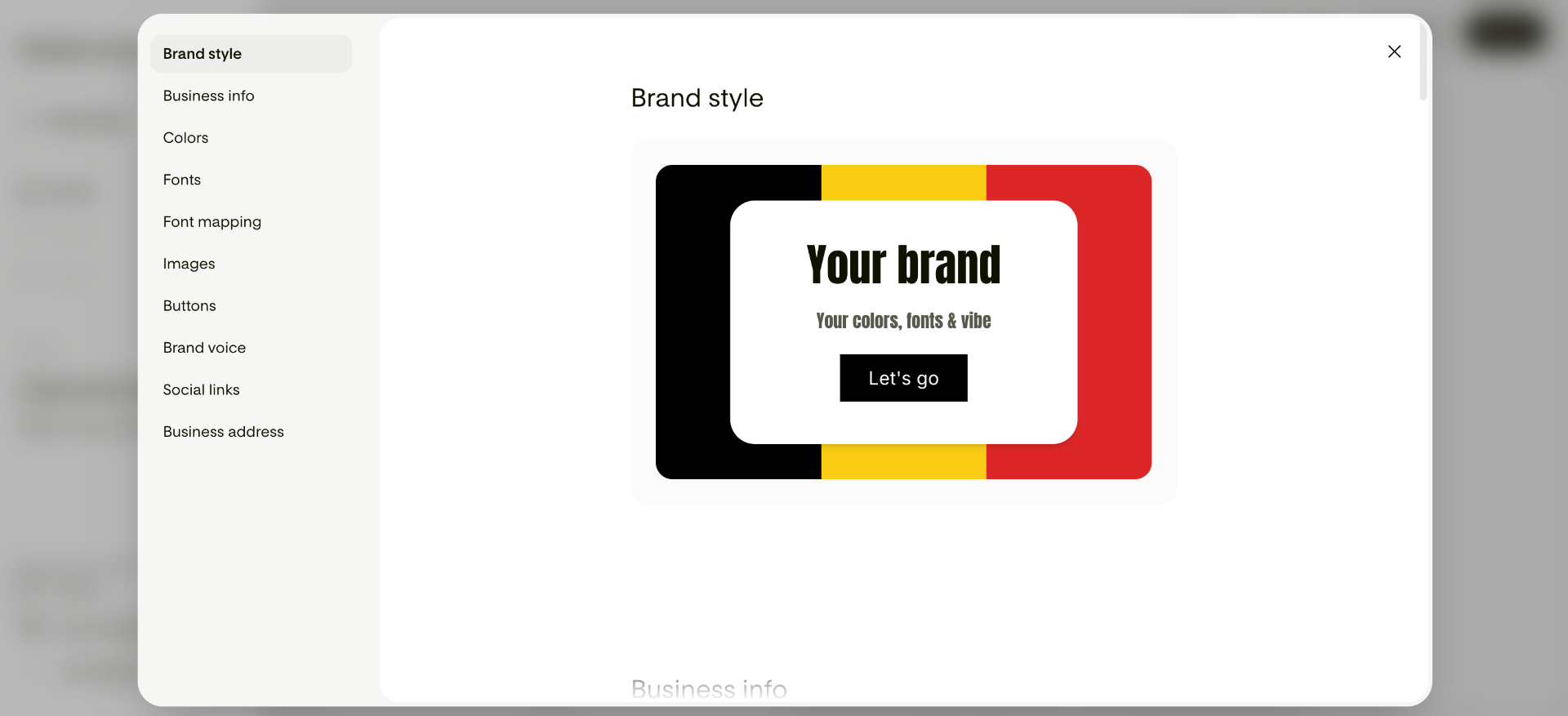
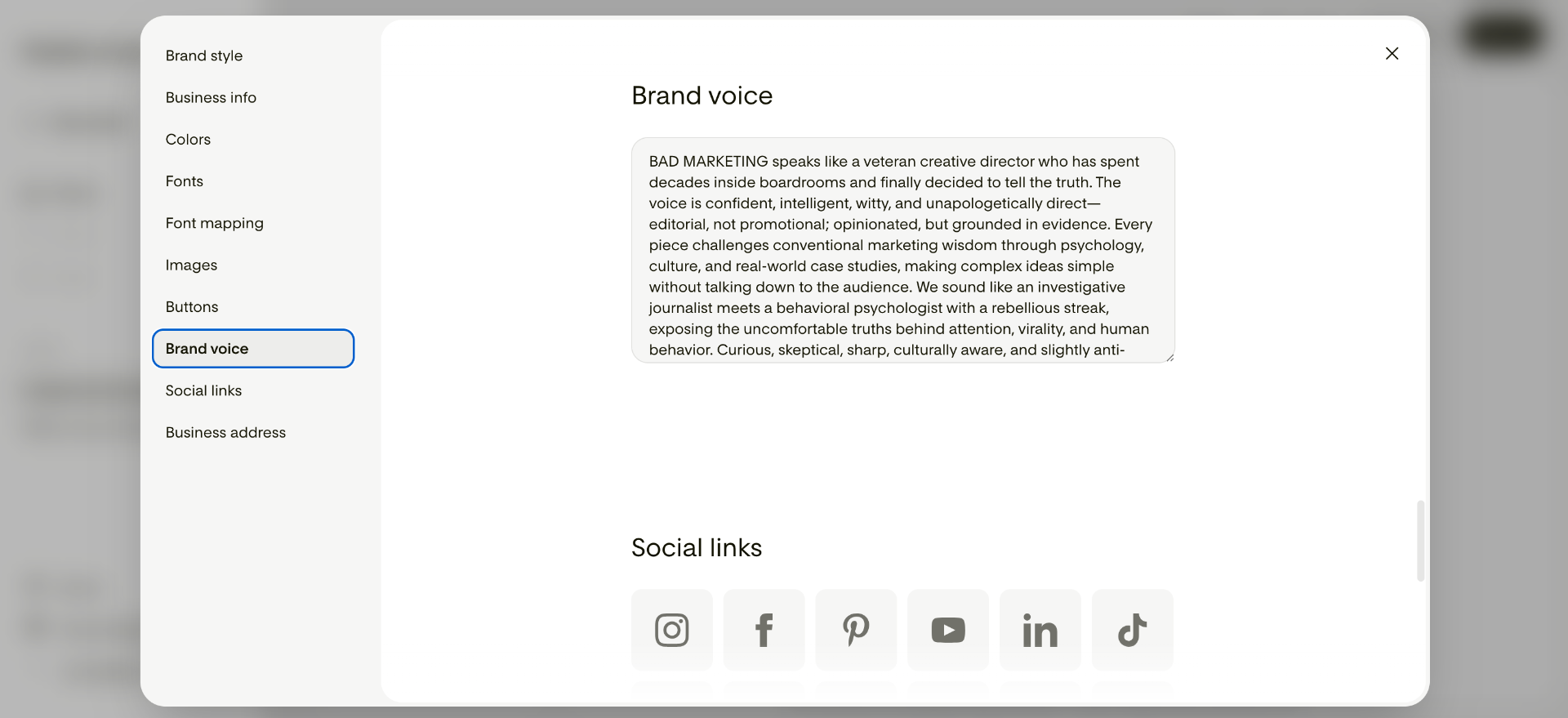
The first thing I did was import my brand. Logo. Colors. Fonts. Button styles. Brand voice. Studio picked up on all of it. What I appreciated: Studio isn't trained on my customer data. It's built on Flodesk's own human design system. AI just accelerates the process while keeping me in complete control.
Then I gave it a prompt:
"Create the first issue of my Bad Marketing newsletter introducing the concept, explaining why I'm moving from LinkedIn to email, and inviting readers to subscribe."
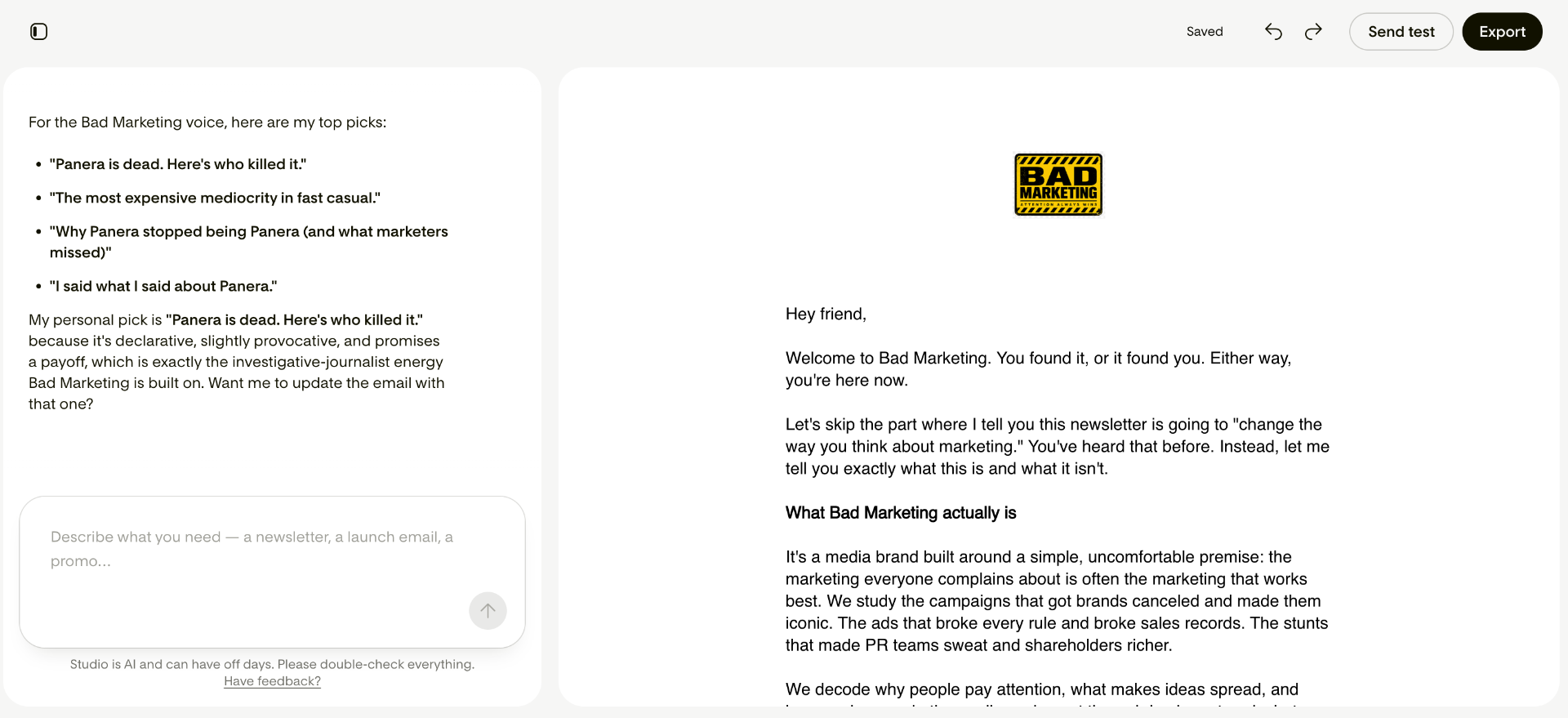
The first draft came back in seconds. And here's what surprised me: it didn't look like a generic AI template. The colors felt right. The typography felt right. The spacing was intentional. Someone had thought about the design system underneath before the AI got involved.
I made a few edits by hand. Changed a headline. Swapped a hero image. Tightened some spacing. Then I switched to chat mode.
"Make this headline more bold and conversational."
Done in a few seconds.
"Shorten this section and make it sound more like Carlos Gil."
Done.
Then I jumped back into the builder to nail the final details manually.
That's the balance I've been looking for. Prompt. Refine. Perfect. All three in one place.
What stood out after a full workflow
Five things I keep coming back to after building the Bad Marketing issue.
Brand Capture. This is the biggest differentiator. Instead of handing AI a blank slate, Studio learns your logo, colors, custom fonts (which you can map to Studio's system), imagery, button styles, and brand voice. The result feels like your business, not everyone else's.
Speed. What used to take me an hour now takes a few minutes. Not because AI replaced me. Because it removed the parts I don't want to do anyway.
You can edit however your brain works. Some people love prompting. Others want full manual control. Studio lets you do both, in the same file, without penalty. Prompt gets you 90% of the way. The last 10% is you.
HTML export. I don't think enough people are talking about this yet. You can build in Studio and send from any ESP that supports HTML. Mailchimp, Kit, Beehiiv, ActiveCampaign, GetResponse, whatever. You're not locked in. If you're weighing the platforms themselves, see our Flodesk vs Mailchimp comparison.
It's built for creators, not enterprise teams. Consultants. Coaches. Small businesses. Solo operators. People who wear multiple hats and don't have four hours to design one email.
The finished email doesn't look like AI made it. It looks like a designer helped me bring my idea to life. That's the exact distinction that separates Studio from every other AI tool I've tested this year.
 — Carlos Gil, Founder & Editor, The Best Network
Who should try Flodesk Studio
If you send email for a living or as part of your business, you should try it. Specifically:
- Creators who want their emails to look like their brand, not like a Mailchimp template.
- Coaches, consultants, and freelancers who don't have time to become designers.
- Small businesses that want professionally designed emails without hiring a designer.
- Anyone who's ever stared at a blank email builder for 20 minutes wondering where to start. Studio removes that anxiety without removing your creativity.
Who should skip it for now: teams that need multi-person approvals, strict brand governance, or a fixed tool budget before the beta ends. Wait for general availability and published pricing.
You don't need to be a Flodesk customer to use it. That's worth repeating. If you're on Mailchimp, Kit, Beehiiv, or any other ESP that accepts HTML, Studio works for you too.
Limitations to weigh before you commit
This is sponsored coverage, so here are the tradeoffs I'd want a friend to hear first:
- It's a beta. Features, limits and workflows can change. Don't build a mission-critical process on any beta tool without a fallback.
- Future pricing is unknown. Studio is free during the beta, and Flodesk hasn't published what it will cost after that. Budget for the possibility that it won't stay free.
- Email first. Studio designs emails today. Forms and pages are on the roadmap, not shipped.
- Design is not delivery. Studio makes the email. Your sending platform still decides list management, automations, authentication and deliverability. Choose that separately.
- Exported HTML needs a test send. Every ESP renders imported HTML slightly differently. Send yourself a test on desktop and mobile before you send to your list.
If you're deciding on the underlying platform, not just the design tool, read our full Flodesk review, and compare it with Kit and beehiiv if newsletter monetization matters more than design.
My switching checklist: from a LinkedIn newsletter to email
This is the order I'd follow again. None of it depends on Studio, so it works whichever tools you pick.
- Decide what the newsletter is for. Write one sentence on the reader, the promise and the cadence. Bad Marketing's is a weekly breakdown of campaigns people argue about.
- Pick a sending platform before a design tool. Use our picks for personal brands to shortlist two options.
- Authenticate your domain. Set up SPF, DKIM and DMARC on a domain you own before the first send.
- Plan to re-invite your readers. Don't assume you can export your LinkedIn subscribers' email addresses. Announce the move in a final LinkedIn issue and in your posts, with a clear signup link.
- Build a signup page and a short welcome sequence. New subscribers should get a welcome email right away that confirms what they signed up for.
- Design a reusable template. This is where Studio helped me: brand once, then reuse.
- Test, then send. Test on desktop and mobile, check links, and send at a cadence you can keep up.
- Keep LinkedIn as distribution. Don't delete your presence. Use posts to point people to the list. See how to grow an email list from LinkedIn.
How to get it
Studio is free while it's in beta. No credit card. No catch.
Curious about Flodesk itself, not just Studio? Start free with Flodesk hereAffiliate.
Email is the entry point. Forms, pages, and more are on the roadmap, and the team is genuinely refining Studio in response to what early users like me are telling them. This is the worst it'll ever be. And they're being open about that on purpose.
If the newsletter matters to your business, yes. Keep LinkedIn for distribution, but build the subscriber relationship on an email list you control. That way you can reach readers directly and move between providers.
About the Author
Carlos Gil
Founder & Editor, The Best Network
Carlos Gil is the bestselling author of The End of Marketing, a LinkedIn Top Voice, and founder of The Best Network. He brings 15+ years in marketing to practical reviews of AI, SaaS, email marketing, and creator tools.